
When comparing a star schema vs snowflake schema in Power BI, the useful question is not which database design is universally better. It is which model shape makes reporting accurate, understandable, and maintainable for the people using the semantic model.
A star schema connects a central fact table directly to the dimensions used to filter and group it. A snowflake schema splits a dimension into related tables, adding dimension-to-dimension relationships. Power BI supports both. For many curated reporting models, a star schema is the more practical default because the path from business attributes to facts is direct and easier for report authors to follow.
That does not mean a warehouse or source database must be denormalized. A normalized source can be appropriate for governance and maintenance, while the Power BI semantic model is shaped separately for reporting.
Star Schema vs Snowflake Schema in Power BI: The Practical Difference
Consider a sales model. In a star schema, FactSales sits in the center and relates directly to DimDate, DimProduct, DimCustomer, and DimStore. The dimensions provide labels, slicers, groups, and hierarchy levels. The fact table contains the sales rows and numeric values to aggregate.
In a snowflake version, the product dimension is separated into related tables:
DimCategory → DimSubcategory → DimProduct → FactSales
Here, FactSales usually connects only to DimProduct. A Category selection must travel through Subcategory and Product before it filters sales. That arrangement can be valid, but it introduces more relationships for developers and report authors to understand. Microsoft’s star-schema guidance recommends dimensional modeling principles because they support both semantic-model usability and performance considerations.
Start With Fact Tables, Dimension Tables, and Table Grain
Before choosing a schema, identify each table’s role and grain. Grain is what one row represents.
For example, FactSales might be at sales-order-line grain: one row per product line on an order. A separate balance table might be at daily account balance grain: one row per account per day. Both contain numeric values, but they represent different business processes and should not be combined casually.
What a fact table contains
A fact table stores business events, observations, or measurements. In the sales example, it may contain OrderDateKey, ProductKey, CustomerKey, StoreKey, Quantity, and SalesAmount. Key columns link a sale to dimensions; numeric columns are commonly summarized in measures.
Some measurements are additive, such as sales amount. Others need care. An end-of-day inventory balance can be analyzed by product or warehouse, but it is not normally summed across dates. A clearly defined grain gives those measures a reliable business foundation.
What a dimension table contains
A dimension table describes the entities used to interpret facts. DimProduct might contain product name, brand, color, subcategory, and category. DimCustomer might contain customer name, segment, city, and region. These are the fields people use in slicers, axes, rows, columns, and legends.
The standard pattern is a one-to-many relationship: a unique key on the dimension’s one side relates to repeated key values on the fact table’s many side. Check that the intended dimension key is unique and that unmatched or unknown fact keys are handled deliberately before creating the relationship.
What a Star Schema Looks Like in Power BI
A Power BI star schema keeps the reporting paths direct:
DimDate → FactSales ← DimProduct
DimCustomer → FactSales ← DimStore
The arrows show the conceptual filter route. Selecting a calendar month or product category filters the relevant sales rows, then a simplified measure such as Total Sales = SUM(FactSales[SalesAmount]) evaluates over those remaining rows.
A star schema is not one wide, flat table. Product names, customer segments, and store regions do not need to be repeated on every sales transaction. Facts and dimensions remain separate; the difference is that each reporting dimension has a direct relationship to the relevant fact table.
Why star schemas are usually the default recommendation
In a star model, a report author can find Category, Subcategory, and Product in one business-friendly Product table rather than searching across several related tables. They can also create a Category > Subcategory > Product hierarchy from columns in that same table.
- Direct filter paths: dimensions filter facts without passing through other dimensions.
- Clearer field discovery: attributes used together can be grouped in one table.
- More approachable DAX troubleshooting: filter context comes from recognizable dimensions attached directly to the fact table.
- Fewer relationship paths to validate: there are fewer opportunities for an unclear or unintended route between tables.
These are design advantages, not a guarantee that every star model will be smaller or faster. Column cardinality, data types, storage mode, source behavior, and report query patterns still matter. A model can also contain several fact tables sharing conformed dimensions, such as Date or Product, and still follow star-schema principles as long as each business process has clear, unambiguous paths to its dimensions.
What a Snowflake Schema Looks Like in Power BI
A snowflake schema normalizes a business dimension into related tables. A product hierarchy might be structured as follows:
DimCategory(CategoryKey, CategoryName)
DimSubcategory(SubcategoryKey, SubcategoryName, CategoryKey)
DimProduct(ProductKey, ProductName, SubcategoryKey)
FactSales(ProductKey, SalesAmount, ...)
This avoids repeating category and subcategory values in the relational dimension structure. It also means that Category is no longer a field in the Product table that most report authors use.
Why teams use snowflake schemas
Normalized dimensions can be sensible in a warehouse or source layer. An organization may govern category definitions separately from products, maintain geography as centrally managed reference data, or reuse the same hierarchy across products, services, and planning processes.
Keeping that structure in the Power BI model can also be reasonable when flattening is impractical, when independently maintained hierarchy tables have a genuine reuse requirement, or when an experienced team controls the model and its reports. The source-layer decision and the reporting-model decision do not have to be identical.
Where snowflake schemas add friction in Power BI
The main cost is often usability. A report author who wants Category must know that it is in a separate table rather than in DimProduct. Technical keys and multiple similarly named tables can also make the Fields pane harder to navigate.
Power BI hierarchies are created from columns in one table, so a Category > Subcategory > Product hierarchy cannot be defined as one standard hierarchy when those attributes are split across three tables. Microsoft specifically describes this as a usability consideration when evaluating snowflaked dimensions in a semantic model.
Snowflaking can also add loaded tables, relationship columns, and filter-propagation steps. Those features may affect model size or query efficiency in a particular design, while flattening can repeat descriptive values in a larger dimension. Treat either outcome as something to test with representative data and report queries, not as an automatic result of the schema name.
Star Schema vs Snowflake Schema in Power BI: Side-by-Side Comparison
| Consideration | Star schema | Snowflake schema |
|---|---|---|
| Structure | Fact tables connect directly to dimensions. | A dimension is split into related subdimensions. |
| Relationships | Usually fewer, with direct dimension-to-fact paths. | More relationships, including dimension-to-dimension paths. |
| Report-author usability | Often easier to browse, filter, and explain. | Can require more knowledge of where hierarchy fields reside. |
| Data duplication | May repeat descriptive attributes within a denormalized dimension. | Reduces repeated attributes in the normalized relational structure. |
| Hierarchy design | Hierarchy levels can be created from columns in one dimension table. | Hierarchy levels split across tables cannot form one standard Power BI hierarchy. |
| Filter behavior | Typically straightforward to trace and test. | Requires deliberate active relationships and direction choices across the chain. |
| Performance considerations | A useful baseline for many reporting models; validate with actual data and workload. | Extra tables and paths may add overhead, but results depend on the model, storage mode, and queries. |
| Best fit | Curated self-service models and common slice-and-dice analysis. | Governed or constrained cases where reuse or normalization benefits outweigh added complexity. |
How the Choice Affects Power BI Modeling
Relationships and filter propagation
Each relationship has a cardinality and cross-filter direction. In the usual dimensional pattern, a one-side dimension filters a many-side fact table. Microsoft’s relationship guidance explains why cardinality and filter direction should be selected intentionally rather than treated as cosmetic settings.
In the snowflaked product example, the active route must allow a Category selection to reach sales. Each line below is a separate one-to-many relationship:
DimCategory (1) → DimSubcategory (*)
DimSubcategory (1) → DimProduct (*)
DimProduct (1) → FactSales (*)
With single-direction relationships flowing from the one side to the many side at each step, a Category filter can propagate to Subcategory, then Product, then FactSales. This is an intentional parent-to-child route; it does not require setting every relationship to Both.
Bidirectional filtering can be necessary for specific business requirements, but it can also create ambiguous paths and increase query complexity. Do not use it as a default repair for a snowflake model. Test the route with real questions—for example, place Category on a slicer and confirm that it filters Product and Total Sales as intended. Inactive relationships are typically activated in measures when an alternate relationship is deliberately needed.
DAX measures and report-building experience
DAX measures summarize fact data under filter context supplied by dimensions. If a user selects Bikes, the product attributes filter the sales rows and the sales measure returns the total for Bikes. That logic can work in either schema, but a direct product dimension makes it easier to see which fields provide that filter context.
A snowflake model does not prevent DAX from working. It can make authoring and support harder when Product, Subcategory, and Category fields are scattered across tables. Use clear business names, hide relationship keys that report authors do not need, and document which tables should supply common slicers.
Import, DirectQuery, and semantic-model performance
Do not assume a snowflake schema is always slower or that a star schema always uses less memory. Import-model behavior depends on factors such as column cardinality, data types, repeated text values, compression, calculated columns, and the number of relationship columns. Compare model size, refresh time, and visual response using representative data rather than inferring a result from table count alone.
Under DirectQuery, source design and generated queries matter even more. Microsoft’s DirectQuery model guidance recommends appropriate source optimization and cautions against unnecessary bidirectional relationships. If you reshape relational dimensions in Power Query for a DirectQuery table, make sure the transformation path can fold to the source; Microsoft’s query-folding guidance explains why this is essential for DirectQuery scenarios. Review generated queries and source query plans with the database team when response time matters.
When to Use a Star Schema in Power BI
A star schema is a strong starting point when the semantic model supports self-service reporting, recurring slice-and-dice analysis, or a broad audience that needs familiar dimensions and drill paths. It is especially useful when you can create clean dimensions with stable keys and place commonly used hierarchy attributes together.
- Business users, analysts, or many report authors will browse the model.
- The model has clearly defined fact-table grain and familiar dimensions such as Date, Product, Customer, and Store.
- Users repeatedly filter and group measures by the same business attributes.
- You want Category, Subcategory, and Product to be discoverable in one Product table.
- You can safely prepare reporting dimensions in SQL, a dataflow, or Power Query.
When a Snowflake Schema Can Make Sense
A snowflake design deserves consideration when the normalization benefit is specific and material. For example, a centrally governed category hierarchy may be shared across product, service, and planning models, with a team responsible for maintaining it independently of individual product records.
It can also be appropriate when flattening would be impractical or when a small, experienced development team controls report creation. In those cases, make the extra structure deliberate: use business-friendly names, hide technical keys, validate each hierarchy-to-fact filter route, and make it clear where report authors should find hierarchy fields.
How to Turn a Snowflaked Source Into a Power BI Star Schema
You do not need to redesign the source database to build a Power BI-friendly star. Create a reporting dimension by joining related source tables in upstream SQL, a dataflow, or Power Query. Power Query’s Merge Queries operation joins tables using matching columns, which makes it useful for this shaping step.
Start with the lowest-grain dimension table, merge in the parent attributes needed for reporting, retain the stable key used by the fact table, and then verify that the result has one row per dimension key. If a merge produces multiple rows per ProductKey, stop and investigate the source relationship rather than forcing a many-to-many relationship.
This issue is common with effective-dated records, multilingual descriptions, role-specific mappings, or any one-to-many parent relationship. Resolve the intended current or reporting-valid parent record with documented business rules upstream. Arbitrarily removing duplicates can hide a data-quality problem and create misleading reporting results.
For relational sources, also check whether transformations fold back to the source. Folding pushes supported work to the source and can improve refresh efficiency. If a merge or later step cannot fold, a prepared source view or warehouse reporting table may be a better place to build the reporting dimension.
A product hierarchy example
Suppose the source has these tables:
Product(ProductKey, ProductName, SubcategoryKey)
Subcategory(SubcategoryKey, SubcategoryName, CategoryKey)
Category(CategoryKey, CategoryName)
Create DimProduct by merging Product with Subcategory and then Category. The reporting table can contain ProductKey, ProductName, SubcategoryName, and CategoryName. Relate DimProduct[ProductKey] directly to FactSales[ProductKey].
Report authors can then use one Product table and build a Category > Subcategory > Product hierarchy from its columns. Keeping separate hierarchy tables may still be appropriate when the governed hierarchy has a broader reuse case. The important choice is where the reporting responsibility belongs, not whether normalization is inherently good or bad.
A Decision Checklist for Your Power BI Model
- What does one row in each fact table represent? State the grain in plain language.
- Which attributes will people use to slice and group measures? Make those fields easy to find.
- Can each dimension provide a stable, unique one-side key? Repair key design before creating relationships.
- Who will build reports? Broad self-service audiences generally benefit from consolidated, direct dimensions.
- Are hierarchy tables governed and reused outside this model? If so, retaining a snowflake structure may have a clear purpose.
- Can every important filter route be traced? Confirm parent hierarchy attributes reach the relevant fact tables through active, intentional relationships.
- Will shaping the source preserve dimension grain? Ensure merges do not create duplicate dimension keys.
- Has the design been tested under expected workloads? Measure refresh behavior, model size, and visual performance with representative data.
For many Power BI semantic models, a star schema offers the clearest reporting experience. Retain a snowflake structure when governance, reuse, or source constraints provide a concrete benefit—and when the added relationship paths are deliberately designed, documented, and tested.
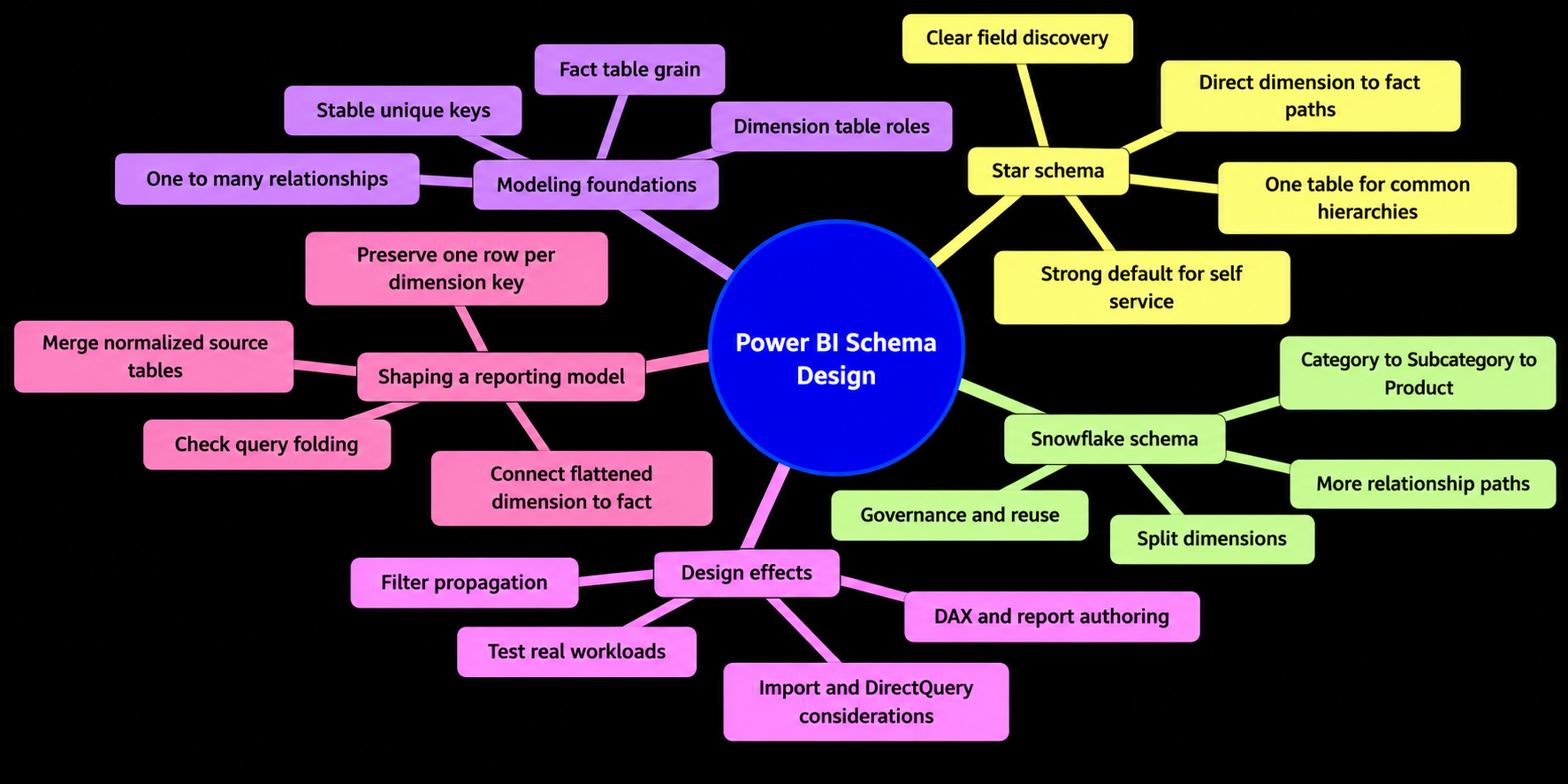
Star Schema vs Snowflake Schema in Power BI
Frequently Asked Questions
What is the difference between a star schema and a snowflake schema in Power BI?
A star schema connects a central fact table directly to its reporting dimensions. A snowflake schema splits a dimension into related tables, adding dimension-to-dimension relationships such as Category to Subcategory to Product.
Why is a star schema often the default for Power BI semantic models?
A star schema usually provides direct filter paths, clearer field discovery, simpler hierarchy design, and fewer relationship paths to validate. These benefits can make reporting models easier to use and maintain.
When can a snowflake schema make sense in Power BI?
A snowflake schema can be appropriate when hierarchies are centrally governed, reused across models, difficult to flatten, or maintained by an experienced development team. The added structure should have a specific business or technical benefit.
How does a snowflake schema affect Power BI relationships?
A filter may travel through several active one-to-many relationships, such as DimCategory to DimSubcategory to DimProduct to FactSales. The route should be intentional and tested; bidirectional filtering should not be used as a default fix.
Can a normalized source be used to create a Power BI star schema?
Yes. Related source tables can be joined in SQL, a dataflow, or Power Query to create a reporting dimension. The resulting table should retain a stable key and be verified to contain one row per dimension key.
Does a star schema always perform better than a snowflake schema in Power BI?
Not necessarily. Performance depends on factors such as column cardinality, data types, storage mode, source behavior, model size, and report queries. Test refresh behavior and visual response with representative data.